


TL;DR:
- Effective office packing involves systematic sorting, protective measures, and clear labeling to minimize downtime. A phased schedule starting three to four weeks before the move keeps operations running and reduces chaos. Proper materials, precise labeling, and early IT coordination ensure a smooth transition and quick recovery.
Efficient office packing is defined as the systematic process of sorting, protecting, and labeling all office assets before a corporate relocation to minimize downtime and prevent damage. Office managers who apply a phased packing schedule starting three to four weeks before move day consistently report fewer disruptions than those who pack all at once. The difference between a two-day recovery and a two-week one often comes down to labeling, material quality, and team coordination. This guide covers every layer of that process, from the first box to the final cable connection at your new location.
What essential tools and materials do you need for efficient office packing?
Professional-grade packing materials are the foundation of any well-executed office relocation. Domestic packing methods often fail for office moves because standard household boxes lack the durability and organizational control that corporate assets require. Reusable plastic crates, anti-static bags, padded monitor cartons, and bubble wrap are the minimum standard for a commercial move.
Core packing supplies
- Reusable plastic crates: Sturdier than cardboard, stackable, and easier to inventory. Use these for files, books, and general office supplies.
- Anti-static bags and foam wrap: Required for computers, hard drives, and any circuit-bearing equipment. Static discharge can destroy components even when physical damage is absent.
- Padded monitor cartons: Purpose-built boxes with internal foam inserts. Never pack monitors in generic boxes without padding.
- Bubble wrap and packing paper: Use for fragile items like glass desk accessories, framed certificates, and small electronics.
- Waterproof labels and permanent markers: Standard paper labels peel off during transit. Waterproof labels with large, bold text stay readable throughout the move.
Technology and document backup
Back up all data before a single cable is unplugged. Store backups on a cloud platform and a physical external drive kept separate from the hardware being moved. Confidential documents belong in lockable file boxes or sealed banker’s boxes with tamper-evident tape. Scan critical paper records to a secure digital location before packing the originals.
Pro Tip: Photograph every workstation setup before disassembly. A 30-second photo saves 30 minutes of guesswork during reinstallation.
| Supply type | Best use |
|---|---|
| Reusable plastic crates | Files, books, general office supplies |
| Anti-static bags | Hard drives, circuit boards, small electronics |
| Padded monitor cartons | Desktop monitors, large screens |
| Waterproof labels | All boxes, cables, and accessories |
| Lockable file boxes | Confidential documents and HR records |
How do you create a phased packing schedule to minimize disruption?
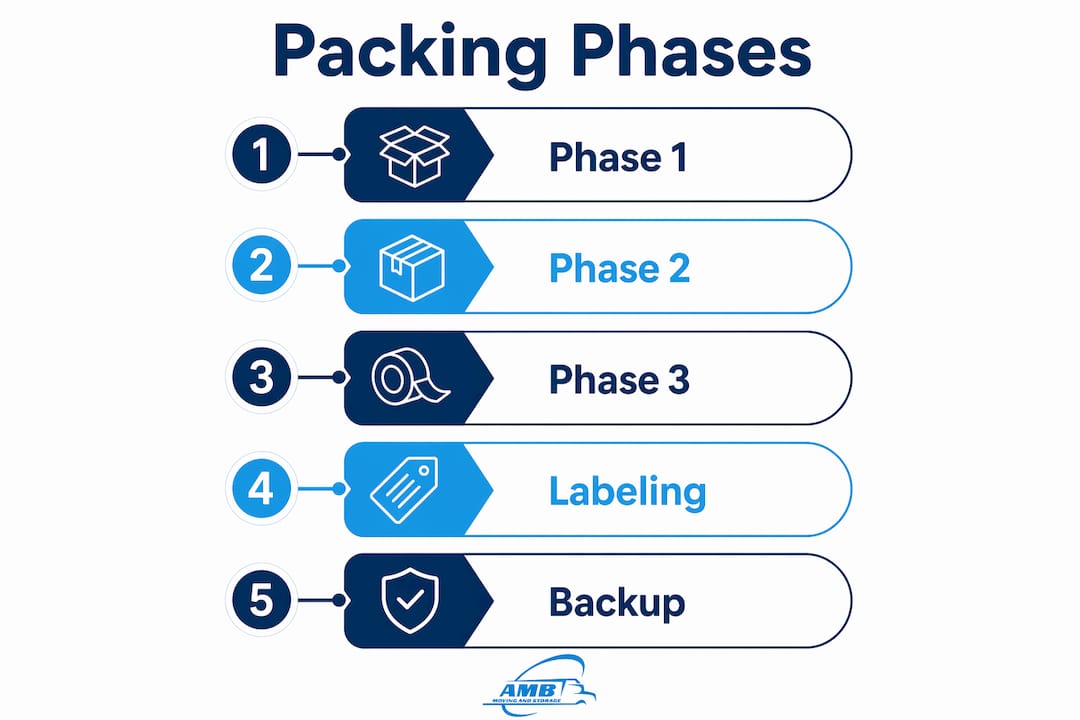
A three-phase packing schedule starting three to four weeks before move day is the most effective method for keeping an office operational during relocation. Packing everything at once shuts down productivity. Phasing the process by item priority and department keeps the business running until the final hours before the move.
Phase 1: Non-essentials (three to four weeks out)
Start with items that no one uses daily. Archive files, extra furniture, seasonal decorations, spare equipment, and seldom-used conference room supplies all qualify. Box these items first, label them clearly, and move them to a staging area or temporary storage solution if the timeline requires it. This phase removes clutter and gives the team a visible sense of progress.
Phase 2: Department-based packing (one to two weeks out)
- Assign each department a packing captain responsible for coordinating their area.
- Assign department-specific responsibilities so each team packs its own supplies, reference materials, and non-critical equipment.
- Pack shared spaces like break rooms, supply closets, and meeting rooms during this phase.
- Confirm that IT has photographed all server rack configurations and network setups.
- Move packed boxes to the staging area as each department completes its phase.
Phase 3: Essentials (last 24–48 hours)
Daily-use items and critical tech are packed last. This includes computers, phones, active project files, and any equipment needed for client-facing work. Pack these items in clearly marked “open first” boxes so setup at the new location begins immediately. Never mix phase-three items with earlier boxes.
Pro Tip: Create a printed move-day checklist for each department captain. A one-page checklist prevents last-minute confusion and keeps the entire team accountable.
Phased packing also protects business continuity during long-distance office moves where the physical distance between old and new locations adds logistical complexity. The further the move, the more critical the phase structure becomes.
What labeling strategies ensure efficient unpacking at the new office?
Clear labeling is the single fastest way to cut reinstallation time at the new location. Labels should be waterproof, printed or written in large text, and placed on at least two sides of every box. A label visible only on the top becomes useless when boxes are stacked.
Color-coding and destination codes
Assign each department a distinct label color. Marketing gets blue, finance gets green, IT gets red, and so on. Add a destination code to every label that includes the floor and desk location, such as “3F-Desk12” or “2F-Server Room.” This system lets movers place boxes directly at their final destination without any sorting on arrival.
- Label every box on two sides and the top.
- Include the department name, destination code, and contents summary.
- Mark fragile boxes on all four sides with large, bold text.
- Use a different color border or sticker for “open first” boxes.
- Never write “miscellaneous.” Every box needs a specific contents description.
Digital inventory tracking
An asset spreadsheet with photos of high-value items serves two purposes. First, it gives the move coordinator a real-time view of what has been packed and where it is going. Second, it creates documentation for insurance claims if any item is damaged or lost. Use a shared spreadsheet or a basic asset-tracking app that the entire team can update in real time.
| Labeling method | Benefit |
|---|---|
| Color-coded by department | Movers place boxes at correct destination without sorting |
| Destination codes (e.g., 3F-Desk12) | Eliminates confusion during unpacking |
| Two-sided labels | Readable when boxes are stacked or turned |
| Digital inventory with photos | Supports tracking and insurance documentation |
How do you pack and protect sensitive electronics and important documents?
Electronics represent the highest-value and highest-risk category in any office move. Anti-static wrapping is non-negotiable for any device with a circuit board. Stack monitors upright, never flat, and never place heavy items on top of padded cartons. Computers should travel in their original boxes when available, or in purpose-built padded cartons when original packaging is gone.
Electronics packing checklist
- Wrap each device in anti-static foam or bags before placing in a padded carton.
- Photograph the back of every computer tower and server to document cable connections.
- Label all cables individually and keep them bundled with the corresponding device.
- Pack cables, adapters, and peripherals grouped by user so each employee’s workstation can be rebuilt without searching through shared boxes.
- Mark all electronics boxes “Fragile” and “This Side Up” on every visible surface.
Protecting confidential documents
Confidential files require physical security throughout the move. Use lockable file boxes with numbered seals for HR records, legal documents, and financial files. Maintain a chain-of-custody log that records who packed each box and who received it at the new location. Scan critical documents to a secure cloud folder before packing the originals.
Pro Tip: Coordinate with your IT team at least two weeks before move day. Internet provisioning requires 60–120 days of lead time. Missing that window means your team arrives at a new office with no network, regardless of how well the physical move went.
What common mistakes should you avoid during an office move?
Poor labeling is the most common and most costly mistake in office relocations. Boxes labeled “office stuff” or “misc” create hours of sorting work at the new location. Every box must have a specific destination and contents description before it leaves the old office.
Mistakes that cost the most time
- Moving unnecessary equipment: Audit all assets before packing. Broken chairs, outdated monitors, and unused printers add cost and clutter to the new space.
- Underestimating IT setup time: Network configuration, server reinstallation, and workstation setup take far longer than physical unpacking. Build at least two full business days into the IT setup timeline.
- Packing cables without labels: Unlabeled cables create a sorting nightmare. Every cable gets a label with the device name and user before it goes into a box.
- No designated move-day contact: Every department needs one person who can answer questions and make decisions on move day. Without this, small problems escalate quickly.
- Scheduling moves during peak hours: Moving trucks in a downtown office building during business hours creates delays. Schedule moves for evenings or weekends when elevator and loading dock access is clear.
“The offices that recover fastest after a move are the ones where every employee knew their role three weeks before move day. The physical move is the easy part. The preparation is where the real work happens.”
Communicate the move plan to all employees at least two weeks in advance. Send a written summary of packing responsibilities, timelines, and move-day contacts. Employees who understand the plan pack their own areas correctly and ask fewer questions on move day. A complete commercial relocation guide covers the full scope of coordination needed for a corporate move across state lines.
Key Takeaways
A phased packing schedule, professional-grade materials, and a color-coded labeling system are the three factors that determine how quickly an office recovers after a corporate relocation.
| Point | Details |
|---|---|
| Start packing three to four weeks early | A phased schedule prevents move-day chaos and keeps the office operational until the final hours. |
| Use professional-grade materials | Reusable plastic crates and anti-static bags protect assets better than standard household boxes. |
| Label every box on two sides | Waterproof labels with destination codes let movers place boxes directly at their final location. |
| Coordinate IT at least two weeks out | Internet provisioning requires 60–120 days of lead time; missing this window causes post-move downtime. |
| Assign department packing captains | Team-level accountability speeds packing and reduces errors across the entire office. |
What experience has taught us about office packing
The offices that handle relocations best share one trait: they treat packing as a project, not a task. Every move I have seen go sideways had the same root cause. Someone decided the packing could happen in the final week. It never works. The physical chaos of last-minute packing bleeds directly into a slow, disorganized setup at the new location, and the business pays for it in lost productivity for days or weeks.
The detail that surprises most office managers is how much IT coordination matters before a single box is packed. Ordering internet service at the moment of lease signing, not move week, is the difference between walking into a connected office and sitting in a building with no network. That 60–120 day provisioning window is not a suggestion. It is a hard deadline that most teams discover too late.
Employee involvement also changes the outcome more than any single material or technique. When each department owns its packing area and has a named captain, accountability replaces confusion. People pack their own workstations correctly because they know they will be the ones rebuilding them. That personal stake produces better labeling, fewer lost items, and faster setup on the other end.
The evolution of packing materials has also made a real difference. Reusable plastic crates with standardized dimensions stack cleanly, inventory easily, and protect assets far better than the cardboard boxes most teams default to. The upfront cost is higher, but the reduction in damaged equipment and sorting time pays for it on the first move.
— AMB
How Ambmovingservices supports your office relocation
Ambmovingservices specializes in commercial office moves across state lines, with experience handling the full scope of corporate relocations from packing coordination to final setup. Every commercial move includes access to professional-grade packing materials, department-level logistics planning, and a dedicated move coordinator who manages the process from the first box to the last cable.
For offices relocating across multiple states, Ambmovingservices provides customized packing plans built around your specific timeline, asset inventory, and IT requirements. The team handles the logistics so your staff can stay focused on the business. Request a free moving quote and get a plan built around your move date, not a generic template.
FAQ
What is the best time to start packing for an office move?
Start packing non-essential items three to four weeks before move day. A phased schedule keeps the office operational and prevents last-minute chaos.
How should I label boxes for an office relocation?
Use waterproof labels placed on at least two sides of every box. Include the department name, destination code such as “3F-Desk12,” and a specific contents description.
What packing materials work best for office electronics?
Anti-static bags, padded monitor cartons, and foam wrap are the standard for office electronics. Never pack circuit-bearing devices in generic cardboard boxes without internal padding.
How far in advance should IT coordinate for an office move?
IT coordination should begin at least two weeks before move day for internal setup tasks. Internet provisioning requires 60–120 days of lead time and must be ordered at or near lease signing.
How do I protect confidential documents during an office move?
Use lockable file boxes with numbered tamper-evident seals for HR, legal, and financial records. Maintain a chain-of-custody log and scan critical documents to a secure cloud folder before packing the originals.