
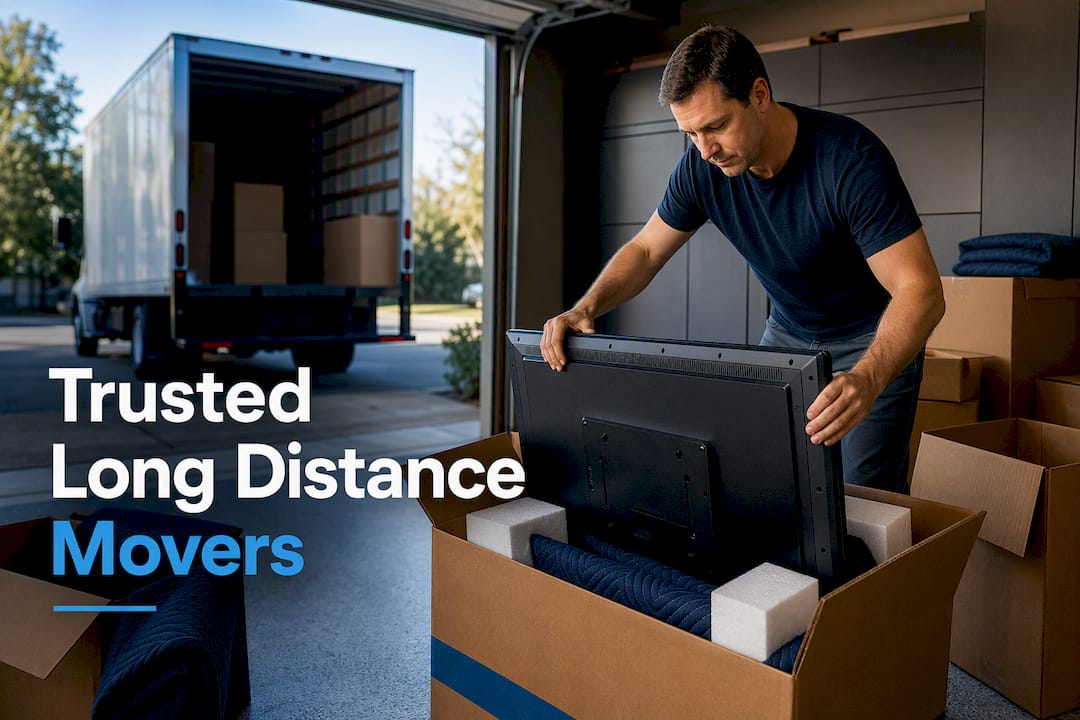

The safest way to pack a TV for moving is to protect the screen with a soft layer before anything else, wrap it with bubble wrap and corner protectors, keep it upright the entire time, and strap it down inside the truck so it can’t shift. If you own a large screen TV or a high-value unit, hiring professional packers is often a worthwhile decision in the long run. The rest of this guide walks through the exact materials and steps.
TL;DR:
- Use a purpose-made TV box or reinforced carton with foam corner inserts for larger screens to prevent internal panel flex during transport.
- Always transport the TV upright and secure it with load bars or ratchet straps to avoid tipping or sliding in the truck.
- For TVs over 65 inches, add extra padding along the full length of the edges and consider having two people lift to prevent damage from dropping.
- Professional packing is recommended for high-value or multiple large screens, especially during interstate moves, to ensure proper crating and securing.
- Avoid laying the TV flat or taping directly on the screen, and always take a photo of cable setups before unplugging for easier reconnection.
Table of Contents
- What You Need to Pack a TV Safely
- How Do You Pack a TV Step by Step?
- What If You Don’t Have the Original TV Box?
- How to Load and Secure a TV in the Truck
- Packing 65-Inch and Larger TVs: What Changes
- When Should You Hire Professional TV Packers?
- Moving Day TV Checklist
- What I’ve Seen Go Wrong on Moving Day
- Get a TV-Specific Packing Quote From AMB
- Sources
What You Need to Pack a TV Safely
You don’t need much, but skipping one item on this list is usually how screens get cracked. Here’s the core kit:
- Soft cover layer (microfiber cloth, foam sheet, or the TV’s original foam) to shield the panel before anything harder touches it
- Bubble wrap, large-cell if you can find it, for cushioning around the perimeter
- Foam corner protectors to absorb impact at the four points most likely to take a hit
- A moving blanket for an outer layer of padding
- A TV box, adjustable moving carton, or picture/mirror box sized to your screen
- Packing straps or stretch wrap to keep everything immobilized
- Zip-top bags for screws, mounting hardware, and cables
Measure your TV diagonally to buy the right box size. A 55-inch TV, for example, needs a carton rated for at least a 58 to 60-inch diagonal to leave room for padding. Adjustable TV boxes run $15 to $30 at hardware stores or moving supply retailers, and picture/mirror cartons cost less but need more manual padding. Never tape directly to the screen or bezel. Adhesive can pull off coating or leave residue that’s expensive to fix.
How Do You Pack a TV Step by Step?
Here’s the order that professional packers actually follow, and it applies whether you own an LED, OLED, or older plasma set:
- Photograph the cable setup before you touch anything. This saves you 20 minutes of guesswork when you’re reconnecting everything at the new place.
- Unplug and label every cable, then bag them together with painter’s tape marking which port each one belongs to.
- Remove the stand or wall mount bracket. Store the screws and brackets in a labeled zip bag, taped to the back of the TV box or kept in a clearly marked “TV hardware” box.
- Clean the screen with a dry microfiber cloth. Never use glass cleaner. Most ammonia-based sprays damage anti-glare coatings on LED and OLED panels.
- Cover the screen first with a foam sheet or the microfiber cloth before adding anything else. This is the step most DIY movers skip, and it’s why screens crack even inside “protective” packaging.
- Wrap the whole unit in bubble wrap, large-cell side facing in, working around the perimeter rather than pressing it flat against the panel.
- Add foam corner protectors to all four corners. Corners take the brunt of drops and bumps, and padding them is standard practice in every mover’s guide.
- Place the TV in its box (original or adjustable), then fill every void with packing paper or foam so nothing can shift during transit.
- Test for movement by gently shaking the sealed box. If you hear or feel anything sliding, open it and add more filler.
- Label the box “TV, Fragile, This Side Up” on all four sides, and mark it clearly for anyone helping load or unload.
Pro Tip: Take the cable photo before you unplug anything, not after. A five-second picture beats an hour of trial-and-error reconnecting a smart TV’s soundbar, streaming box, and gaming console three weeks later at a new address.
What If You Don’t Have the Original TV Box?
Plenty of people toss the original packaging within a year of buying a TV, and that’s fine. You have three solid alternatives.
- Purpose-made TV moving box: Measure your screen diagonally, buy an adjustable carton sized to match, and use foam corner inserts. This is what most moving companies keep stocked for TVs over 55 inches.
- Picture or mirror carton: Cheaper than a dedicated TV box, but you’ll need to pad it more generously, especially around corners, and fill any gaps so the TV can’t slide inside.
- Moving blanket and strap method: Cover the screen first, wrap two or three moving blankets around the entire unit, then secure everything with packing straps or stretch wrap. Never use tape directly on the screen or blanket edges near the panel.
The blanket-and-strap method costs the least but offers less rigid protection than a box. If you’re moving across state lines rather than across town, spend the extra $20 to $30 on a proper carton. A cracked 65-inch OLED costs a lot more to replace than a box does to buy.
How to Load and Secure a TV in the Truck
Never lay a flat-screen TV down flat, not even for a short trip across town. Modern panels flex under vibration, and that flex is one of the leading causes of cracked screens during moves, even on distances under ten miles.
- Load the TV upright, wedged against a padded wall of the truck or a stack of soft furniture like mattresses or couch cushions
- Use load bars or ratchet straps to pin it in place so it can’t tip or slide during braking and turns
- Keep it away from the truck’s rear doors and away from heavier furniture that could shift onto it
- Check stability by gently pushing on the box before you close the truck. It shouldn’t move more than an inch
Short car moves carry lower risk simply because the trip is shorter, but the packing standard doesn’t change. Interstate moves involve hours of highway vibration and multiple stops, so the securing job matters even more. A step-by-step interstate moving guide covers truck-loading order for a full household, TVs included.
Packing 65-Inch and Larger TVs: What Changes
Bigger screens don’t just weigh more. They flex more under their own weight, which multiplies the risk of internal panel damage even when the outside of the box looks fine.
- Use a custom crate or reinforced TV box built for oversized panels rather than a standard adjustable carton
- Add extra foam corner blocks along the full length of the top and bottom edges, not just the corners
- Lift with two people, one on each end, and never grip the screen itself. Hold the frame or base only
- If horizontal transport is genuinely unavoidable, lay the TV screen-side up on a padded, flat surface, never screen-down, and never stacked under other items
Pro Tip: For anything 65 inches or larger, budget for a second set of hands even if you’re otherwise moving solo. A dropped 75-inch panel isn’t a $50 mistake, it’s a $1,500 one.
When Should You Hire Professional TV Packers?
Some situations tip the math firmly toward paying a pro. Interstate moves, multiple large screens, and any TV worth more than a couple thousand dollars all fall into that category. Professional TV packing typically adds 30 to 60 minutes per screen, which is a small time cost against the price of a replacement panel.
- Custom crating and foam-fit packing built to the exact screen dimensions
- On-truck securing using load bars and strap systems designed for electronics
- Valuation coverage or insurance options for high-value items
- Optional setup and reconnection at the destination
Ambmovingservices carries the licensing and insurance credentials FMCSA recommends verifying before any interstate move, and offers specialty packing as part of its nationwide moving services. When requesting a quote, ask specifically for a TV packing line item so it’s priced and planned for, not handled as an afterthought.
Moving Day TV Checklist
| Step | Time Estimate | Watch Out For |
|---|---|---|
| Photograph cables | 2 min | Skipping ports on soundbars/consoles |
| Unplug and bag cables | 5 min | Unlabeled bundles |
| Remove stand/mount | 5 min | Losing small screws |
| Clean and cover screen | 3 min | Using glass cleaner |
| Wrap and corner-protect | 10 min | Taping the bezel |
| Box or blanket-strap | 10 min | Leaving voids unfilled |
| Load upright and secure | 5 min | Laying flat “just for the trip” |
| Inspect at destination | 5 min | Unboxing before checking for shipping damage |
- Total time per TV: roughly 45 minutes when done carefully
- Never stack anything on top of a boxed TV, even briefly
- Inspect for cracks before you sign off on delivery if a moving company handled transport
What I’ve Seen Go Wrong on Moving Day
The most common mistake isn’t lack of care, it’s laying the TV flat “just for the ride.” Vibration does the damage, not the trip length. The second most common: taping bubble wrap straight to the screen, which peels off protective coating on the way back off. Following the upright-and-immobilize rule sounds basic, but it’s the difference between a TV that survives a move and a $1,500 replacement bill. If a screen is large, old, or expensive enough that a crack would genuinely hurt, that’s the point to call in help rather than gamble on a DIY wrap job.
— AMB
Get a TV-Specific Packing Quote From AMB
Ambmovingservices gives you a middle path between renting a truck and doing it yourself, and paying full-service movers who never let you specify what matters most. We’re a licensed and insured nationwide moving company, and TV packing is built into our standard quote process rather than tacked on as a surprise fee.

Here’s what that looks like for a TV move specifically:
- Specialty packing techniques built for flat-panel electronics, the same standards covered in our artwork and fragile-item packing service
- Licensed, insured transport for long-distance and interstate moves
- Nationwide coverage for cross-country relocations, including multi-screen households and home theater setups
- Optional short and long-term storage if your new place isn’t ready yet
- Valuation coverage options so a damaged screen isn’t a total loss
When you request a quote, ask us to add a TV packing line item so it’s priced upfront and handled by people who do this daily, not guessed at on moving morning.
Sources
- How to Pack a TV for Moving — The Home Depot
- Tips for Packing & Moving a Flat-Screen TV — Extra Space Storage