
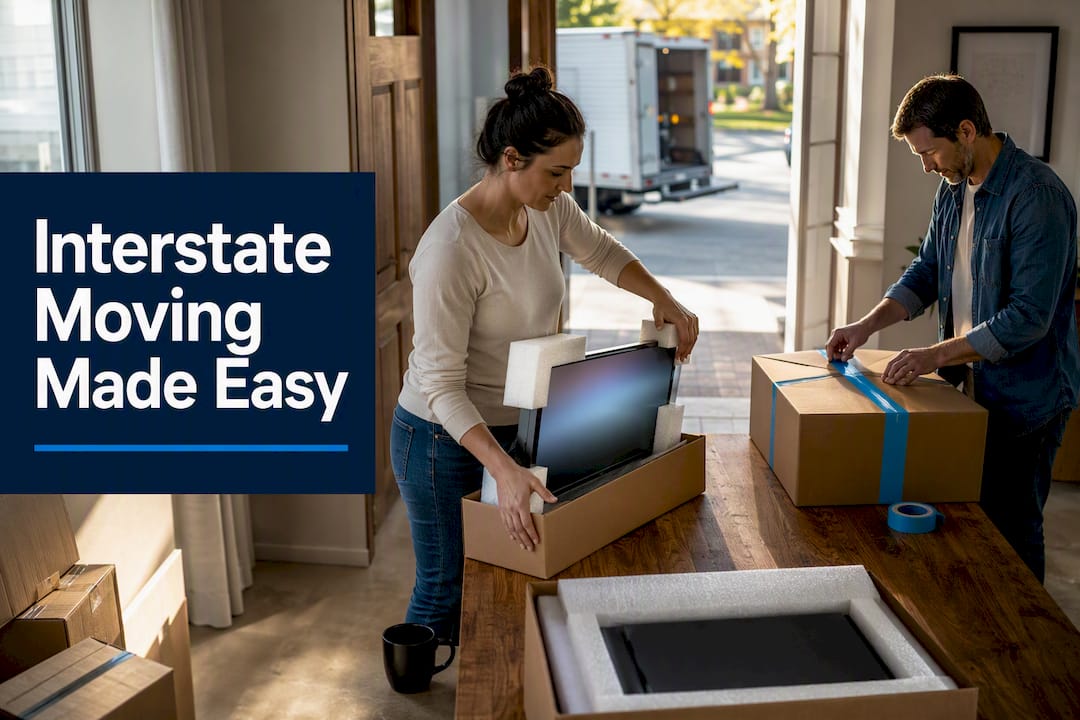

Moving electronics safely comes down to five moves: back up your data, pull the batteries, wrap everything in anti-static material, double-box the fragile screens and keep them upright, and label every box before it hits the truck. Do those five things in order and you eliminate most of the risk that causes cracked screens, corrupted drives, and lost remotes. Everything else in this guide is just the how.
TL;DR:
- Using original boxes or foam corner protectors for fragile items like TVs and monitors greatly reduces the risk of internal damage during transit.
- Label all cables on both ends and group related items in labeled bags to prevent confusion and save time during setup at the new location.
- Place electronics upright in the truck and secure them tightly to prevent sliding or tipping, especially on long-distance or cross-country moves.
- Remove batteries from devices and store them separately to prevent corrosion and fire risks, especially in long-term storage or transit.
- For high-value or complex electronics, professional crating, anti-static wrapping, and climate-controlled transport often provide better protection than DIY methods.
Table of Contents
- How Do You Safely Pack and Move Electronics?
- How to Pack Different Devices: TVs, Computers, and Consoles
- What’s the Best System for Cables and Small Parts?
- How Should Electronics Be Loaded and Transported?
- What About Data Backups and Battery Safety?
- When Should You Hire Professional Packers?
- How Do You Safely Disconnect Modems and Routers?
- How Do You Move Large Appliances With Electronic Controls?
- How Do You Move Smart Home Devices Without Losing Settings?
- How Do You Prevent Static Electricity Damage to Electronics?
- The Small Mistakes That Cause the Biggest Headaches
- Get Professional Packing Help for Your Interstate Move
- Sources
- FAQ
How Do You Safely Pack and Move Electronics?
The sequence matters as much as the materials. Rushing straight to bubble wrap without backing up your laptop first, or boxing a TV before you’ve photographed the cable setup behind it, is how people end up redoing work or hunting for a router password three weeks after the move.
Here’s the order that actually works, from the week before move day to the moment boxes get sealed.
- Take inventory and photograph every setup. Snap pictures of the back of your TV, your desktop tower, your router, and any tangle of cords before you touch a single cable. This single habit saves hours of guesswork later, since it lets you reassemble a home theater or workstation from a photo instead of memory, a tactic Moving Help specifically recommends for complex setups.
- Back up everything. Copy important files to the cloud and to an external drive, then verify the backup actually opened before you pack the machine away.
- Gather your supplies. You’ll want anti-static bags or anti-static bubble wrap, standard bubble wrap for padding, sturdy corrugated boxes (originals if you kept them), packing paper, and box tape.
- Remove batteries, discs, and memory cards. Nothing loose should be rattling around inside a device when it’s sealed in a box.
- Clean the ports and screens, then wrap each item in anti-static material before adding a padding layer.
- Box it up, filling every gap with paper or foam so nothing shifts in transit, and seal it.
Labeling is where a lot of people cut corners, and it’s the step that saves the most time on the other end. Write the item name, the room it’s going to, and any handling notes directly on the box:
- “Living Room TV, This Side Up, Fragile”
- “Office Desktop, Fragile, Do Not Stack”
- “Cables Bin 1 of 3, Living Room”
Pack electronics last so they come off the truck first. That way your router, laptop, and phone chargers are the first things you can find in a new house full of boxes, not the last.
Pro Tip: Keep a small “day one” tote separate from the numbered boxes. Toss in your laptop charger, a phone cable, and the TV remote batteries. You’ll be glad you don’t have to open ten boxes just to charge your phone that first night.
How to Pack Different Devices: TVs, Computers, and Consoles
Every device category has its own failure point. Treat a gaming console like a TV and you’ll waste materials. Treat a TV like a console and you risk a cracked screen.
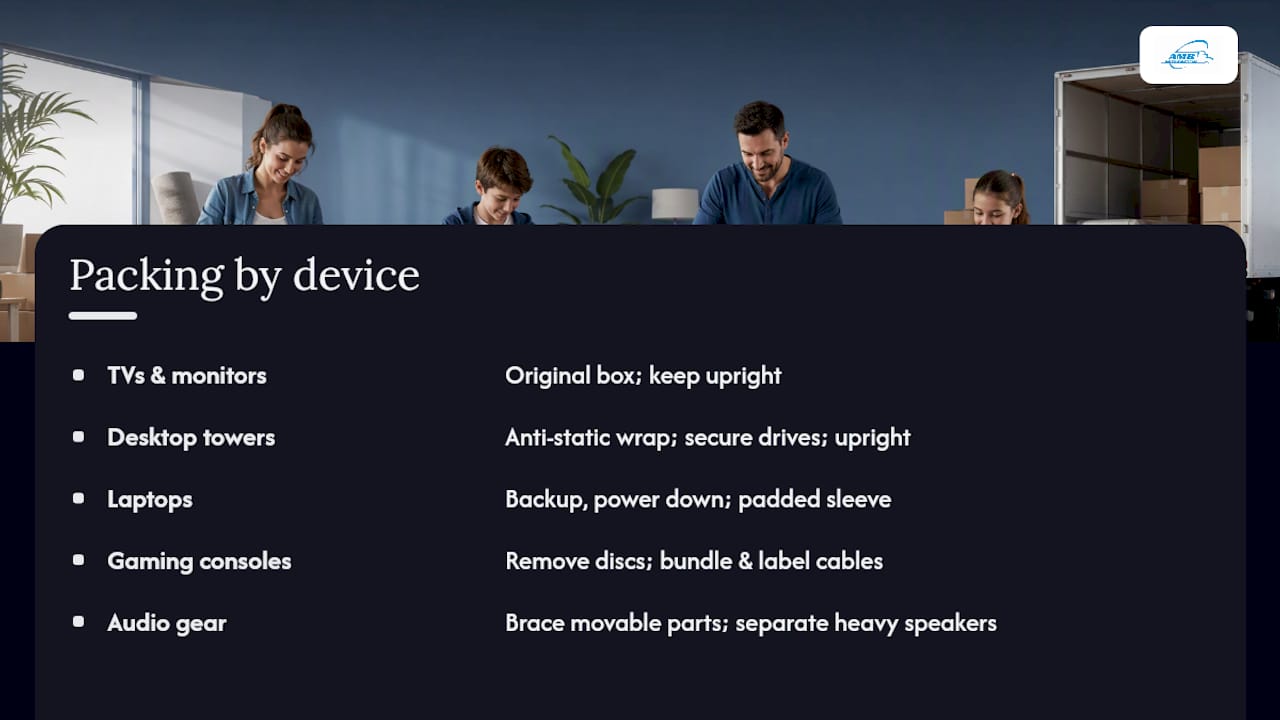
TVs and monitors are the most fragile items in most households. Use the original manufacturer box if you kept it, since it’s built to the exact dimensions and weight distribution of that screen. If you don’t have it, wrap the panel in a soft screen-specific cover, add foam corner protectors, and slide the whole thing into a TV moving box or a second larger box for double protection. Move and Moving Help both stress the same point from different angles: fragile electronics need to stay upright, never flat, because a flat-packed screen carries much higher odds of internal panel damage during transport.
Desktop towers and internal storage need anti-static bags around any loose components, and hard drives or SSDs should be secured so they can’t shift inside the case. Pack the tower upright unless the manufacturer specifically says otherwise.
Laptops get backed up, powered down completely (not just put to sleep), and slid into a padded sleeve before going into a box with extra cushioning on all sides.
Gaming consoles need their discs removed and bagged separately, and controllers, adapters, and cables bundled together and labeled so you’re not hunting for a proprietary charging cable weeks later.
Speakers, receivers, and audio gear often have movable parts, like a subwoofer’s driver, that need bracing with foam before the box gets sealed. Keep heavy floor speakers boxed separately from lighter bookshelf units so nothing gets crushed.
Anti-static protection matters more than most people realize: standard plastic wrap can actually generate static, while purpose-made anti-static wrap is designed to dissipate it, which is the whole reason movers and electronics retailers use it instead of shrink wrap for circuit boards and internal components.
If you’re packing a TV headed for a long-distance move, our dedicated TV packing guide walks through box sizing and foam placement in more detail.
What’s the Best System for Cables and Small Parts?
Lost cables and mismatched remotes are the most common small annoyance after a move, and they’re entirely preventable with about ten minutes of prep per device.
- Photograph the cable layout on the back of each device before you unplug anything.
- Label both ends of every cable, not just one, since a tag on only one end is useless once it’s coiled up in a bag.
- Group cables by device in labeled resealable bags, then place related bags together in a small box.
- Use cable ties or twist ties to keep cords from tangling into a knot during transport.
- Drop a simple inventory sheet inside each electronics box listing what’s in it.
- Assemble a first-night kit with chargers, one laptop or tablet, and the TV remote, kept separate from the numbered boxes.
Pro Tip: Color-code with electrical tape by device, a strip of blue tape on the router’s cables, red on the TV’s. It takes seconds and turns a pile of black cords into something sortable at a glance.
Progressive’s moving guidance backs this up directly, noting that organizing cables and removing external components before the move is one of the simplest ways to protect electronics and speed up setup afterward.
How Should Electronics Be Loaded and Transported?
Placement inside the truck matters almost as much as how you packed the box. Electronics should ride upright and blocked tightly against other boxes or truck walls so they can’t slide or tip during turns and stops.
- Load electronics toward the front of the truck, over the axle, where road vibration and shifting are lowest.
- Never stack heavy furniture or boxes on top of electronics boxes, even briefly during loading.
- Use moving straps to secure stacks and prevent any lateral movement.
- For cross-country moves through extreme heat or cold, ask about climate-controlled transport, especially for anything with a battery or LCD screen.
- Once you arrive, let devices sit at room temperature for a few hours before powering them on, since a cold device brought into a warm room can develop internal condensation that damages components.
This last point trips people up more than any packing mistake. A laptop that spent a January night in an unheated truck needs time to warm up before you plug it in, the same way a cold soda can sweats when it hits room-temperature air.
What About Data Backups and Battery Safety?
Data loss and battery damage are two risks packing materials can’t fix, which is why they need separate attention before anything goes in a box.
- Back up files to both the cloud and an external drive, then open a file from each backup to confirm it worked.
- Remove lithium batteries where possible, since Consumer Reports recommends pulling batteries for any electronics headed into storage, both to prevent corrosion and to reduce fire risk.
- Never pack loose batteries touching each other or touching metal contacts on other devices.
- Note the serial numbers and estimated value of high-end electronics for insurance purposes, and keep purchase receipts somewhere accessible, not buried in a box.
- If electronics are going into storage rather than straight to a new home, prioritize a climate-controlled unit and pull batteries before they go in.
When Should You Hire Professional Packers?
DIY packing works fine for a laptop and a game console. It gets riskier fast with a 75 inch television, a full home theater rack, a multi-workstation office move, or a vintage stereo receiver that’s irreplaceable if it cracks.
- A large-screen TV or custom home theater setup often justifies professional crating, since specialty boxes and foam inserts cost more to buy piecemeal than to have built once by a crew that does it daily.
- Multi-computer office relocations benefit from movers who handle desktop teardown, cable labeling, and reassembly as a standard part of the job.
- Fragile or vintage electronics with no manufacturer box left are prime candidates for custom crating rather than a generic double-box approach.
- When you call a mover, ask specifically about anti-static procedures, crating options, climate-controlled trucks, and valuation coverage for anything over a few hundred dollars in value.
- Weigh the math honestly: a professional packing job that costs a few hundred dollars is often worth it as insurance against replacing an expensive television.
Professional movers frequently offer climate-controlled transport and tracking options for high-value electronics, and it’s worth asking about valuation coverage before you sign anything, since not every mover includes it by default.
How Do You Safely Disconnect Modems and Routers?
Network equipment needs its own short checklist because it’s easy to treat as an afterthought right up until you’re sitting in a new house with no Wi-Fi.
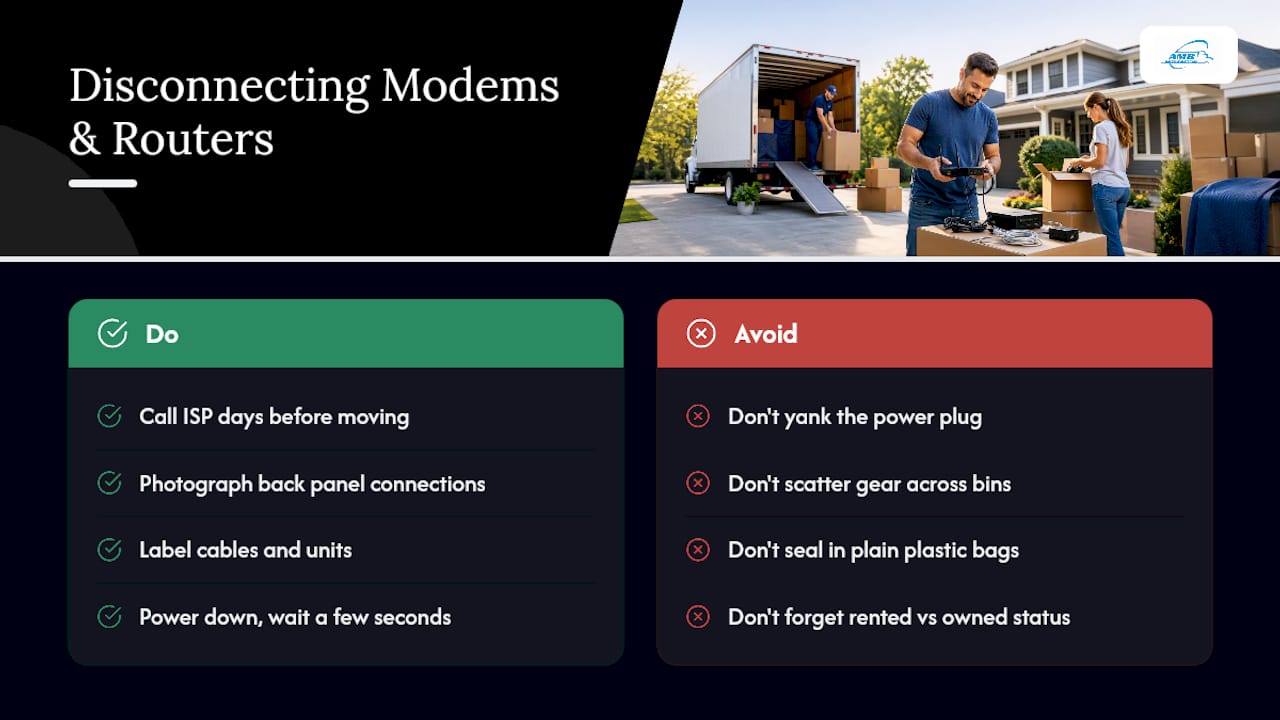
Call your internet provider a few days before the move to confirm whether you’re keeping the same modem and router or returning rented equipment. If you own the hardware, photograph the back panel showing which cable plugs into which port, then label the coax or fiber line, the power adapter, and the Ethernet cables separately.
Power down the modem and router properly rather than yanking the plug. Give it a few seconds after the lights go dark before disconnecting cables, which reduces the chance of a corrupted firmware write on some models. Coil each cable loosely, secure it with a tie, and place router, modem, and their power bricks together in one small, clearly labeled box rather than scattering them across bins.
If you’re moving smart home hubs or a mesh Wi-Fi system with multiple satellite units, label each unit by the room it currently serves so reinstallation at the new address doesn’t turn into guesswork. Skip wrapping network gear in plain plastic bags for long periods, since some models generate a small amount of heat and trapped moisture inside sealed plastic can be an issue over a multi-day interstate transit. A breathable anti-static bag or just bubble wrap with paper padding works better than shrink wrap here.
How Do You Move Large Appliances With Electronic Controls?
Refrigerators, washers, dryers, and modern ranges all carry electronic control boards now, which means they need more prep than the days when appliances were just motors and dials.
Unplug refrigerators at least 24 hours before loading so the compressor has time to settle and any coolant lines aren’t under active pressure. Empty and defrost fully, then dry the interior completely, since trapped moisture during a multi-day interstate haul can lead to mold. Tape the doors shut and secure any glass shelves separately, wrapped like you would a mirror.
Washing machines need their drum bolted with the manufacturer’s shipping bolts if you still have them, since the drum can otherwise swing during transport and damage the suspension or the control board mounted near the top.
Keep appliances upright throughout loading and transit. Tilting a refrigerator more than about 45 degrees risks damaging the compressor oil lines, and control panels on the front of washers and ranges are more exposed to impact than people expect when appliances get slid rather than carried.
For interstate moves where appliances sit in a truck overnight or longer, the same temperature acclimation rule from earlier applies: give a refrigerator or washer time to reach room temperature before plugging it back in at the new address.
How Do You Move Smart Home Devices Without Losing Settings?
Smart thermostats, doorbell cameras, smart locks, and hub-based lighting systems create a problem regular electronics don’t: they’re tied to a specific address and network in ways that can break during a move if you’re not careful.
Before removing anything, open the companion app for each device and note its current configuration, or take a screenshot of the settings screen. Many smart thermostats and locks need to be manually removed from the account or “unpaired” before uninstalling, otherwise the new resident’s setup attempts (or your own reinstall at the new house) can hit account lockout errors.
Label each smart device by function, not just by room, since “Smart Lock, Front Door” is more useful during setup than “Bin 4.” Keep any small mounting screws or brackets in a labeled bag taped directly to the device’s box rather than loose in a junk drawer box. If a device requires a hub, like some smart lighting systems, pack the hub and its power adapter together with a note about which devices pair to it.
Reinstall in reverse order at the new place: get Wi-Fi running first, then pair the hub, then bring each satellite device online one at a time. Trying to reconnect five smart devices simultaneously on a fresh router is a common source of pairing failures that have nothing to do with the hardware itself.
How Do You Prevent Static Electricity Damage to Electronics?
Static electricity is invisible, which is exactly why it causes more damage than people realize during a move. A static discharge that you wouldn’t even feel on your skin can be enough to fry a sensitive circuit board inside a computer or game console.
Anti-static bags and anti-static bubble wrap exist specifically to dissipate that charge rather than trap it the way ordinary plastic does. Standard bubble wrap and plastic sheeting can actually build up static charge through friction, which is the opposite of what you want next to a motherboard or hard drive.
Ground yourself before handling internal computer components by touching a metal surface first, especially in dry winter conditions when static is worst. Avoid packing electronics on carpet if you can help it, and skip synthetic fleece blankets as padding around circuit boards, since both surfaces are prone to generating static through contact.
Keep humidity in mind too: very dry air, common in winter moves or in climate-controlled storage units set too aggressively, increases static risk. If you’re storing electronics for weeks before your new place is ready, a moderate humidity environment protects components better than a bone-dry one.
The Small Mistakes That Cause the Biggest Headaches
We see the same handful of mistakes repeat across move after move: cords tossed loose into a box instead of bagged and labeled, laptops packed without a verified backup, and TVs laid flat “just for this one trip.” None of these save real time, and each one creates hours of frustration later.
The fixes are almost embarrassingly simple. Photograph everything before you disconnect it. Label both ends of every cable. And keep your gaming console and its charger in the first-night box, not buried under linens in box 22.
— AMB
Get Professional Packing Help for Your Interstate Move
If you’d rather not spend a weekend anti-static-wrapping a home theater system, that’s exactly the gap AMB Moving & Storage’s professional packing services are built to close. Licensed and insured crews handle the anti-static wrapping, foam bracing, and double-boxing on TVs, monitors, and computer towers using the same techniques outlined above, priced at $1 to $2 per cubic foot rather than an open-ended hourly rate.
![CTA image placeholder]
For a piano, safe, or other specialty item traveling alongside your electronics, specialty item handling starts at $200. If your electronics are part of a full household relocation crossing state lines, our long distance moving and interstate movers teams coordinate packing, loading, and valuation coverage as a single process, not three separate headaches, and our nationwide moving company network means the same crew standards apply whether you’re moving three states over or coast to coast. Get moving cost estimates and a real quote before your move date fills up.
Sources
- Move
- How to protect your electronics during a move | Progressive
- How to pack electronics for moving | Moving Help
FAQ
How do you safely move electronics?
Back up your data, remove batteries and discs, wrap devices in anti-static material, keep TVs and monitors upright, and label every box with handling instructions. For high-value or complex setups like home theaters, professional packing services reduce the risk of damage significantly.
Can you put electronics in bubble wrap?
Standard bubble wrap works fine as an outer padding layer, but anti-static bubble wrap or anti-static bags should touch the device directly since regular plastic can generate a static charge that damages circuit boards.
Do electronics degrade over time if not used?
Batteries can corrode and leak if left inside devices during long storage, which is why removing them before storing electronics for weeks or months is standard advice. Climate-controlled storage further reduces the risk of humidity-related damage to internal components.
What is the best material for packing electronics?
Anti-static bags and anti-static bubble wrap are the best direct-contact materials for sensitive components, layered with standard bubble wrap or foam for impact protection and packed in sturdy, original boxes when available.
Should I hire movers to pack my electronics?
For large TVs, home theater systems, or multi-computer office moves, professional packing is worth the cost since crews bring crating, anti-static procedures, and insurance options that are hard to replicate on your own. AMB’s professional packing services cover exactly this kind of specialty handling for interstate and long-distance moves.